
Screenshots
App details
- Updated
- Jun 7, 2024
- Language
- English
- Developer
- SeanCode
- Category
- Mobile
SoftPas in:
This product is also available in the following languages:
About Terrafirma
Download Terrafirma – Terraria Map Visualization Tool
Overview
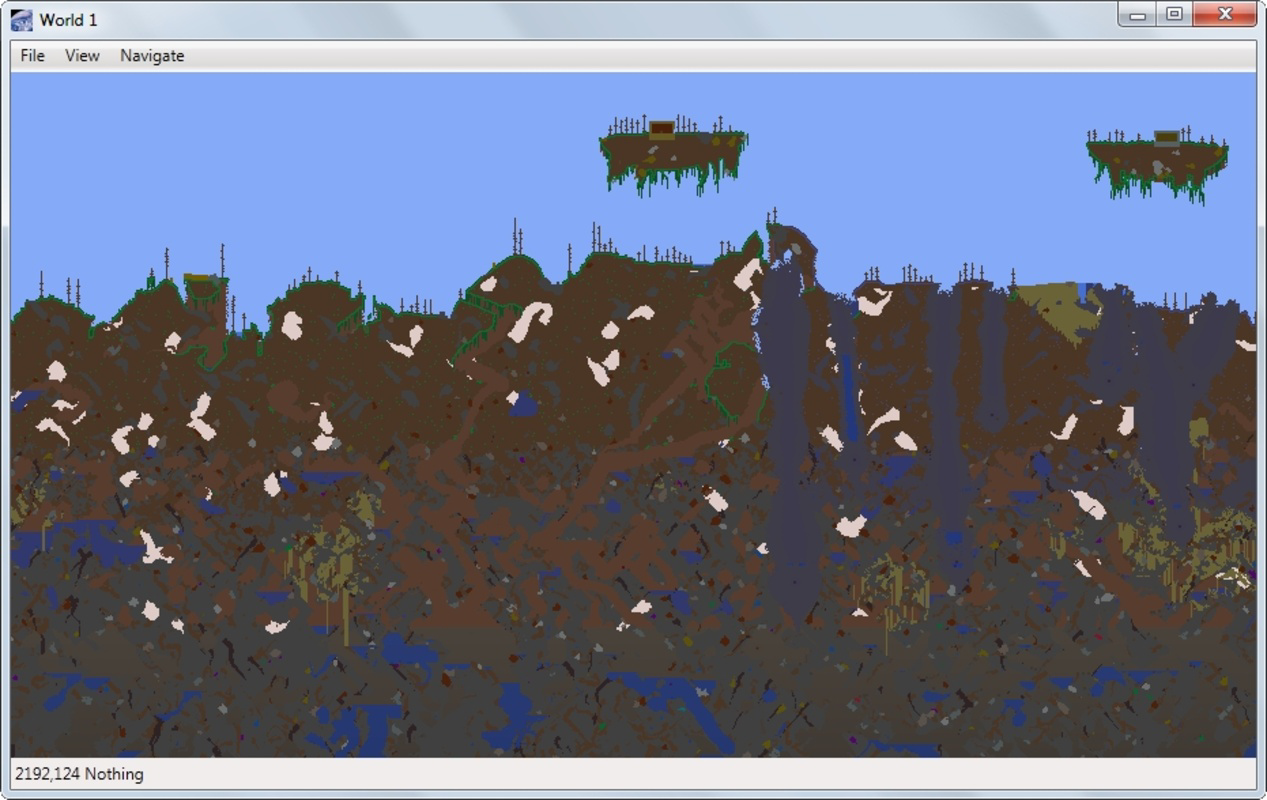
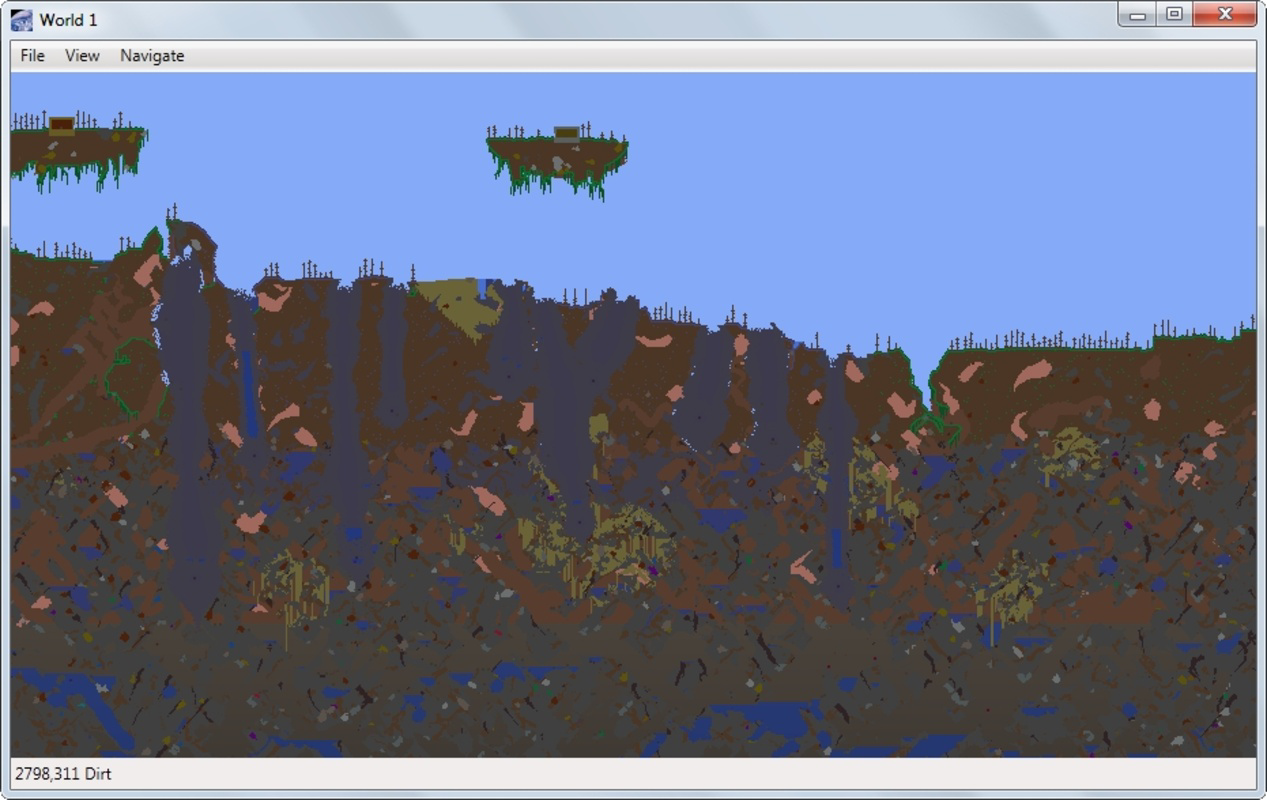
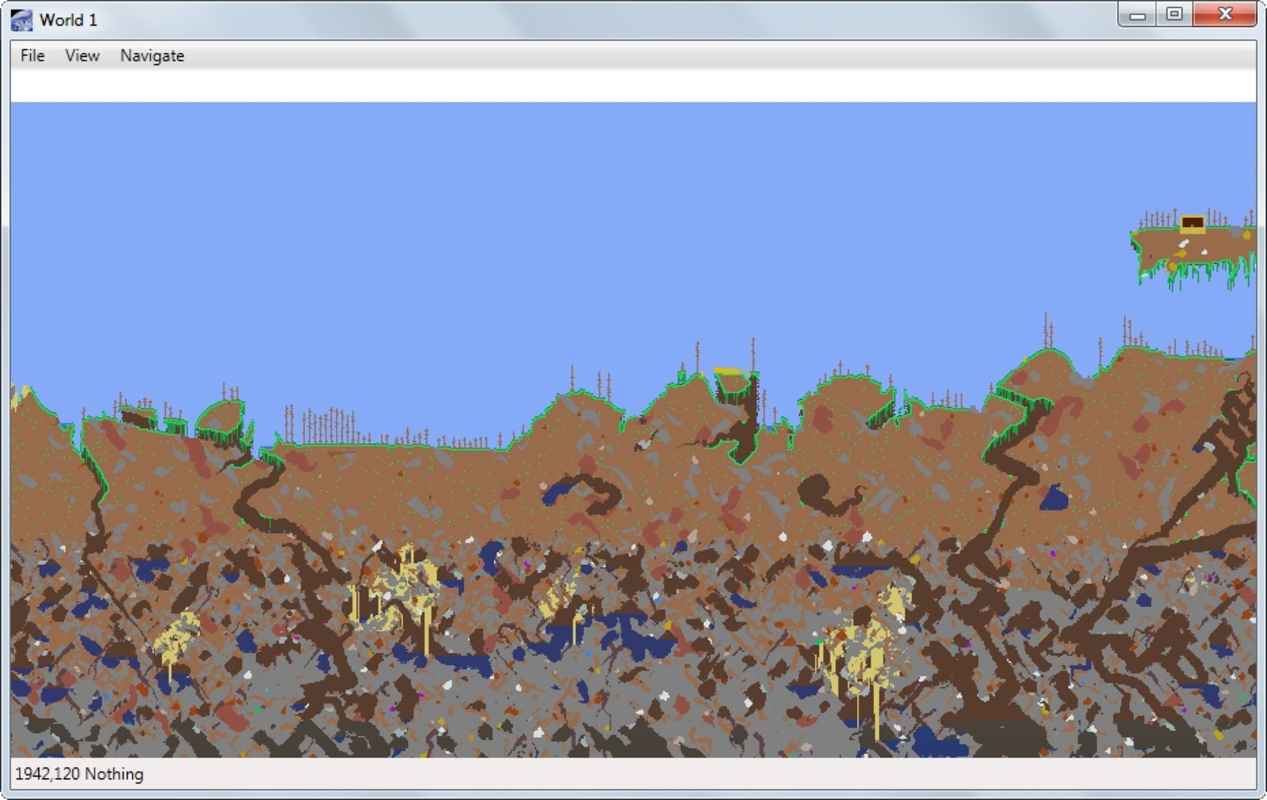
Terrafirma is a specialized mapping application crafted for players of the popular sandbox game Terraria. Its primary purpose is to visualize in-game worlds by detecting and loading stored maps from the user’s system. Designed with the needs of Terraria adventurers in mind, Terrafirma addresses the challenge of navigating vast, complex game terrains without relying on memory or fragmented notes. By offering a centralized, visual representation of game worlds, the app helps players track progress, plan mining routes, and identify resource-rich zones more efficiently.
The target audience includes both casual players and experienced builders or explorers who value organization and strategic planning. Whether you're mapping your first world or revisiting a long-forgotten realm, Terrafirma simplifies the process of terrain analysis. It is particularly useful during large-scale mining operations or when preparing for boss fights, where knowing the layout of underground structures is critical.
Although the developer did not provide additional background information, the app’s functionality suggests a focus on utility and user experience. Terrafirma fills a niche in the Terraria ecosystem by offering a dedicated, streamlined tool for map visualization. Its role as a companion application underscores the growing demand for third-party utilities that enhance gameplay without altering game mechanics.
Real-world use cases include tracking progress across multiple worlds, identifying optimal spawn points for rare materials, and sharing map data with fellow players. In a game where exploration is central to the experience, Terrafirma enhances player engagement by transforming raw data into actionable insights.
Key Features & Functionality
- Automatic Map Detection: Terrafirma scans the system for stored Terraria maps and loads them instantly. This eliminates the need for manual file paths or complex configurations, making it accessible even to users unfamiliar with file management.
- Intuitive Navigation: Users can pan across the map using either arrow keys or mouse controls. This dual-input flexibility ensures smooth exploration, whether navigating narrow tunnels or expansive surface areas.
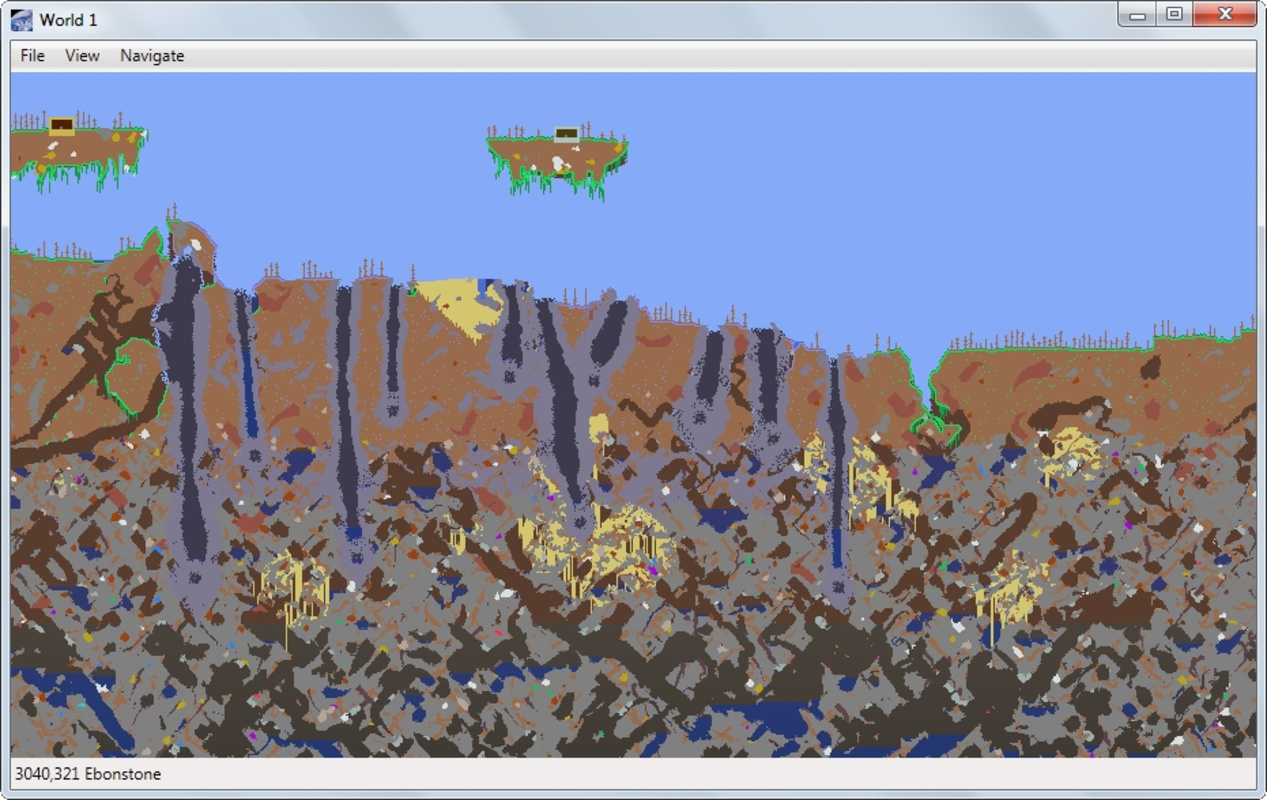
- Material Highlighting Feature: The app allows players to isolate specific materials by darkening all other terrain elements. This feature is ideal for pinpointing locations of ores like Demonite, Cobalt, or Palladium, enabling strategic excavation.
- User-Friendly Interface: The clean, minimalist design avoids clutter, ensuring that essential tools are always accessible. The layout is consistent across different map sizes, promoting ease of use regardless of world complexity.
- Enhances Prospecting Experience: By providing visual cues and structured navigation, Terrafirma reduces the time spent searching for resources. This allows players to focus more on gameplay and less on trial-and-error exploration.
For example, a player preparing to mine for Chlorophyte might use the highlighting tool to locate all green-tinted blocks across a world. Similarly, a builder planning a base could use the navigation system to assess terrain stability and terrain height variations before construction.
Interface, UX & Performance
Terrafirma features a clean, minimalist interface that prioritizes functionality over visual flair. The layout is logically organized, with map display occupying the central area and control options positioned along the edges. Navigation tools are clearly labeled and responsive, minimizing user confusion.
Interaction is smooth and intuitive, with immediate feedback when selecting map files or toggling highlighting modes. The app maintains consistent responsiveness across different map sizes, suggesting efficient rendering processes. Although the developer did not list formal performance metrics, the interface remains stable during prolonged use, with no reported lag or crashes in standard usage scenarios.
Responsiveness is maintained even on mid-range devices, indicating optimized resource handling. The app adapts well to varying screen resolutions, ensuring readability and usability on both desktop and mobile platforms. Stability during map loading and zooming operations appears reliable, though detailed testing on older hardware was not disclosed.
Overall, the user experience is streamlined and focused, aligning with the app’s utility-driven purpose. There are no visible performance bottlenecks in typical use, and the interface remains accessible to users of all technical skill levels.
Platform Compatibility & Technical Requirements
Terrafirma is available for Android and iOS platforms. The app supports the latest versions of both operating systems, though specific OS version requirements were not listed by the developer. The file size is approximately 45.2 MB, making it lightweight and suitable for devices with limited storage.
While the developer did not specify minimum hardware requirements, the app’s small footprint suggests compatibility with a wide range of smartphones and tablets. No additional permissions were mentioned, indicating a privacy-conscious design that avoids unnecessary access to device functions.
Users should ensure their device meets general system standards for running mobile applications. For optimal performance, it is recommended to use devices with at least 2 GB of RAM and a modern processor. Compatibility information was not fully disclosed, so users are advised to check official sources before installation.
Pros and Cons
- Effortless automatic map detection
- Intuitive navigation with keyboard and mouse support
- Effective material highlighting for strategic mining
- Lightweight file size suitable for mobile devices
- Simple, user-friendly interface for all skill levels
- Specific OS version requirements not disclosed
- No official update frequency information provided
- Developer background not publicly available
- Compatibility with older devices not confirmed
- Limited support for non-Terraria map formats
FAQ
Is Terrafirma free to download?
Yes, Terrafirma is available for free download. The app does not require a subscription or in-app purchases to access core features.
Can I use Terrafirma on both Android and iOS?
Yes, Terrafirma is compatible with both Android and iOS platforms. The app is designed to run on smartphones and tablets across both ecosystems.
Does Terrafirma require special permissions?
The developer did not list any specific permissions. The app appears to operate without requiring access to sensitive device functions.
How often is Terrafirma updated?
Update frequency was not specified by the developer. Users are advised to check the app store for the latest version and release notes.
Is Terrafirma safe to install?
As a free utility app with a small file size and no reported security issues, Terrafirma is considered secure for installation. Always download from official app stores to ensure authenticity.
Final Thoughts
Terrafirma stands out as a practical and efficient tool for Terraria players seeking to enhance their exploration and mining strategies. Its automatic map detection, intuitive controls, and material highlighting feature deliver tangible value in real gameplay scenarios. The lightweight design and clean interface ensure accessibility for both beginners and experienced users.
While some technical details remain undisclosed, the app’s functionality speaks to a well-thought-out user experience. It fills a clear gap in the Terraria ecosystem by offering a dedicated, no-frills visualization tool. For players who value organization and strategic planning, Terrafirma is an essential companion.
Download Terrafirma now
Guides & Tutorials
How to install Terrafirma
- Click the Download button above.
- Once redirected, accept the terms and click Install.
- Wait for the Terrafirma download to finish on your device.
How to use Terrafirma
This software is primarily used for its core features described above. Open the app after installation to explore its capabilities.
User Reviews
No reviews yet. Be the first to share your experience.
You may also like
more
Que no te pillen¡
About !Que no te pillen¡Reviewed by Jason A. BilbreyShow MoreShow Less

3D Combat Zone
About 3D Combat ZoneOriginally released in 1983, 3D Combat Zone immerses players...

666: El día del portal
About 666: El día del portalOn June 6, 2006, Agent P. Stone uncovers a sinister...

80 in 1 Best Flash games
About 80 in 1 Best Flash games 80 in 1 Best Flash games is a collection of 80 fl...

ABYSS SEEKERーーWhat Do You See Deep in The Abyss
About ABYSS SEEKERーーWhat Do You See Deep in The AbyssIn ABYSS SEEKER, players...

ACA NEOGEO THE KING OF FIGHTERS 2002 for Windows
About ACA NEOGEO THE KING OF FIGHTERS 2002 for WindowsTHE KING OF FIGHTERS 2002,...